📴
Fully offline
At install time pip uses a local wheelhouse with --no-index and never touches the network. Works in air-gapped datacenters and intranets.
Ansible packaged into a single offline bundle - copy it to your air-gapped machine, run one command, done. No network needed during installation.
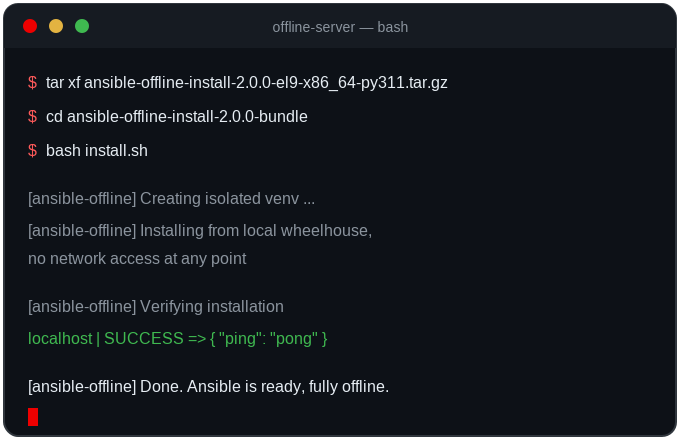
# 1. Extract (pick the right bundle in the platform matrix first,
#    and verify it with the .sha256 file from the download page)
tar xf ansible-offline-install-2.0.0-el9-x86_64-py311.tar.gz
cd ansible-offline-install-2.0.0-bundle

# 2. Install - fully offline, self-verifies at the end
bash install.sh

# 3. Confirm
ansible --versionMany company and datacenter servers are not allowed to reach the internet (an "air-gapped" environment). On such a machine,
pip install ansiblealways fails, because it needs to download packages.
This project works around that in three steps:
The project is published on four platforms with identical content; the mirrors are usually faster for downloads inside China:
| Platform | URL | Notes |
|---|---|---|
| GitHub | https://github.com/ghl1024/ansible-offline-install | Primary repository: development and releases |
| Gitee | https://gitee.com/ghl1024/ansible-offline-install | China mirror, releases auto-synced via CNB |
| GitCode | https://gitcode.com/haydenguo/ansible-offline-install | China mirror |
| CNB | https://cnb.cool/ghl1024/ansible-offline-install | China mirror |
Questions or new ideas: open an Issue in the primary repository - you can also browse Issues for problems others hit and their solutions. If you can, include your OS version (the output of
cat /etc/os-release) and the error message you saw.