📴
全程离线
安装时 pip 走本地 wheelhouse 并带 --no-index,不访问任何网络。气隙环境、机房内网都能装。
把 Ansible 打成一个离线安装包:拷到内网机器上,运行一条命令就装好,全程不需要网络。
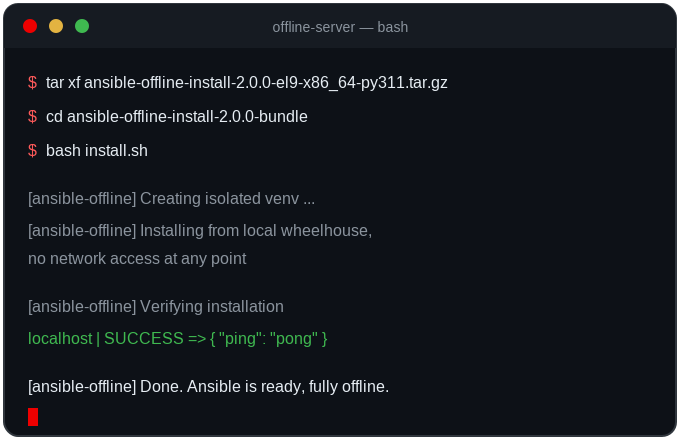
# 1. 解压(先按平台矩阵选对包,再从下载页拿校验文件验一下)
tar xf ansible-offline-install-2.0.0-el9-x86_64-py311.tar.gz
cd ansible-offline-install-2.0.0-bundle

# 2. 安装,全程离线,装完自动验证
bash install.sh

# 3. 确认
ansible --version很多公司、机房的服务器不允许连接外网(俗称「气隙环境」),这时直接在服务器上执行
pip install ansible一定会失败,因为它要去网上下载。
这个项目的办法很简单,分三步:
本项目同时发布在四个平台,内容一致,国内用户从镜像下载离线包通常更快:
| 平台 | 地址 | 说明 |
|---|---|---|
| GitHub | https://github.com/ghl1024/ansible-offline-install | 主仓库,开发与 Release 发布地 |
| Gitee | https://gitee.com/ghl1024/ansible-offline-install | 国内镜像,Release 由 CNB 自动同步 |
| GitCode | https://gitcode.com/haydenguo/ansible-offline-install | 国内镜像 |
| CNB | https://cnb.cool/ghl1024/ansible-offline-install | 国内镜像 |
使用过程中有任何问题和想法,欢迎给我提 Issue。你也可以在 Issue 里查看别人提的问题和解决方案。留言时尽量附上你的系统版本(
cat /etc/os-release的输出)和报错截图或文字。